

Kinovea is more than a simple player, editor, and capturing video tool. It includes several features for the analysis, measurement, comparison, and motion observation of videos.
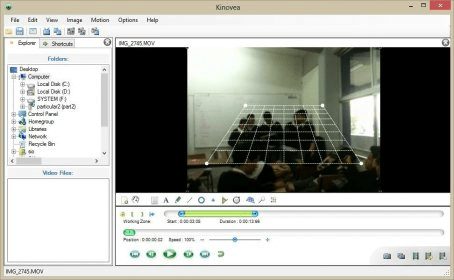
Videos can be added with the drag and drop feature (Input formats supported: AVI, MPG, MOV, WMV, MP4, FLV, 3GP, MKV, VOB, MOD, TOD.+). When videos are loaded, you can slow down their playback speed for the study of motion by using the speed cursor, and specify a working zone to make the navigation cursor more precise and perform a better analysis. If two videos are loaded, you can view their playback screens and make a comparative analysis.
Some important features for observational analysis are: The playback loop mode, which loops the video within the Working Zone; the magnifier glass, that allows you to focus on any detail or action; the deinterlacing feature that allows you to fix interlace artifact problems; the Forcing image aspect ratio, which allows you to specify a known image aspect ratio manually; the High-speed capture feature, which allows you to capture the videos at a very high frame and perform slow motion playback. Also the Observational references, which allow you to overlay any images on the video for qualitative or visual comparison.
Other but not less important observation functions include the Mirror function, Image Quality adjustment, overlay grids, the overview function, the reverse mode that plays backward the videos, and the drawing tools that allow you to highlight any aspect of special interest. more






Comments (6)
It can export data from your analyses in
*.csv (Raw Csv)
*.xlsx (Excel)
*.json (Raw Json)
*.ods (LibreOffice)
formats